POST

Posted by

POST-SUMMARY-HERE

POST-TITLE-HERE

Posted by Author On Month - Day - Year

POST-SUMMARY-HERE

POST-TITLE-HERE

Posted by Author On Month - Day - Year

POST-SUMMARY-HERE

POST-TITLE-HERE

Posted by Author On Month - Day - Year

POST-SUMMARY-HERE

POST-TITLE-HERE

Posted by Author On Month - Day - Year

POST-SUMMARY-HERE

Google Starts To Go Offline

Posted by emsquared On 10:05 am 0 comments


Google is to introduce the opportunity to use some of its applications off line starting first with Google reader. This is an interesting move in a broadband connected world but will no doubt be a boon for mobile workers and those still on dial-up.

Songbird Tour

Posted by emsquared On 9:11 am 0 comments


Songbird is a music organiser and playback programme available for Windows, Mac and Linux and combines the power of VLC with Firefox browser. It has an almost i-Tunes like interface and can even import any existing i-Tunes libraries and work alongside i-Tunes. Similar to firefox there are many specific third part add ons including audio scrobbling for last.fm and tagging.

iGoogle Themes

Posted by emsquared On 10:47 pm 3 comments

Google's personalised homepage, renamed iGoogle (what's with using Apple's "i" monika?) now has themes. There aren't many at the moment but they're quite nice. The colour tint changes based on the time of day where you live. Worth a tryout anyway.

Giving Your Dialup Internet A Boost

Posted by emsquared On 10:29 am 0 comments
HelpBroadband Internet access continues to be very successful around the world however it is by no means universal and obtaining a broadband connection (a term open to interpretation but generally deemed to be a faster speed than ordinary dial-up) can be dependent on where you live.

Here in the UK broadband can be as cheap if not cheaper than dial-up. My own parents were paying £14.99 a months for a dial-up service which sometimes had frequent connection problems and with my help moved to a £9.99 a month broadband connection (1Mb unlimited- not the fastest available but a big improvement for them) which gives them always on Internet and has opened the doors for a much improved use of the Internet including ease of browsing, Internet phone calls for free or low cost and the ability to share the connection between a fixed computer and laptop as well as the novelty of being able to be on-line without blocking incoming calls from their existing land-line phone.

They live but a few miles from us but their choice of broadband system was greater than our own as we were deemed too far from the exchange to utilise broadband via ADSL, which uses an existing BT phone line and so it has cable or nothing for us. This has recently changed although our location still dictates the likely speeds we would be likely to experience from ADSL.

But what of good old dial-up? What can be done for those of us who either can't upgrade to a permanent broadband Internet connection.

If you cannot get broadband and even if you can get broadband but at the slower available speeds (with many ISP's in some companies claiming speeds below 512k as 'broadband' which is pushing the term somewhat) then the proxy and /or compression add on service is worth considering.

Compression/proxy optionInternet_mouse

  • A 3rd party paid for add on service

  • Uses proprietary compression to speed up your existing Internet Service

  • Low cost add on that improves the dial-up speed experience

  • Web pages, web email and images all download much faster

  • Multimedia content (video, audio)and secure(https) connections will however NOT see any speed improvement

  • Onspeed is a well known purveyor of this service who charge £1.99 a month or £24.99 a year

  • Others include are Proxyconn and Propel

  • Can also improve low bandwidth broadband and mobile Internet speeds


It's not as good as true broadband but it helps improve the browsing experience by giving your dialup service a bit of a helping hand. In effect a third party provider is compressing the Internet for you in order to fit more into the small bandwidth space that dial-up allows.

Some people are happy with minimal Internet access of even occasional use at the library whereas others are lucky enough to be able to tap into community wireless Internet connections.For some, where broadband monthly cost is an issue I have even helped set up a shared wireless and even wired connections between neighbours.

The smaller ways to improve your web browsing experience:

Try to use a hardware modem rather than a software modem (which draws on the processing power of your computer) especially if your computer is a little older and of average processing speed

Add extra memory if you can- this will always make a difference.

Installing free Ram optimizer to help make sure that you have not consumed more RAM than you thought,

Make sure you browser is up to date and try other available browser such as Opera Firefox , Flock or even Torpark the secure, private browsing variation of Mozilla.

Get your computer checked over to make sure that an undetetcted virus, worm or Malware isn't impeding the performance of your computer (Windows only).

If your Windows computer is very sluggish and you know it's not just down to low RAM memory or a full up hard drive then it might be worth re installing your operating system from scratch which can often be a breath of fresh air to many strugling users (I know this from experience).Obviously this can be quite daunting, especially backing up your data and requires a slow methodical approach or ideally somebody experienced who is prepared to do this for you.

To download the PDF of this posting please click here

More Firefox tabbed browsing

Posted by emsquared On 12:50 pm 0 comments
Here's a good 3rd party tutorial on the basics of tabbed browsing.
Posted by emsquared On 12:33 pm 0 comments

I'm a bit of a tab princess and often have several tabs open at the same time in my Firefox browser. I've just installed a Firefox add on called ChromaTabs that colourises my many tabs. It's amazingly productive as pages from the same site are given the same colour. There can be problems working with a heavily themed version of Firefox but it's working fine for me.

Posted by emsquared On 2:30 pm 0 comments

Gizmo (terrible name) have added free SMS text messaging to their other services which include Internet and web based free phone calling services. You can text friends in most countries though I myself have not had a chance to try this yet.

Multi-platform calendar

Posted by emsquared On 11:16 am 0 comments

Calgoo is a new java based calendar that aims to be compatible with a wide variety of existing calenders from outlook to Google and iCal. being java based it will require that you have java installed on your Storm.Calgoo can be shared easily and securely and reminders can be received by email, SMS or pop-up.
As they say, oranges are no the only fruit and Windows is not the only kind in the operating system playground. Trying other systems without throwing away what you already know can be a bit reckless. Here's one way of trying a popular free alternative whilst retaining your existing windows setup and giving you the ability to easily remove the installation if you no longer want it.
Ubuntu installer for windows is relatively new offering that installs Ubuntu linux as a disk image in your existing windows setup ,giving you a dual boot system at startup so you now have two computer systems to choose from.Ubuntu is very secure and does not have many of the virus and security worries of Windows.

Another way to try running another system is to install VMware and run a "virtualisation" of another system within Windows. This means you get to run two desktops (2 computer systems!) at the same time but it does require a reasonable amount of memory and processing power.
VMware player
VMware Ubuntu Appliance
Xubuntu virtual apliance (good for lower memory)

Another solution in the virtualisation area is parallels which has a great solution for Max users so they can run Linux and Windows alongside their existing Mac software.

POP GOES THE INSTANT NEWSLETTER

Posted by emsquared On 7:19 pm 0 comments

Another new online tool is Letterpop , an easy to use and intuitive newsletter creation application. Great templates and easy drag and drop for the content of text and photos together with the ability to print or send a web URL for family, friends, colleagues to look at. If you haven't got a respectable newsletter creation software on your computer then this is well worth a try. certainly letterpop produces more professional result than Microsoft publisher that's for sure.

MULTI INSTANT MESSAGE OPTIONS

Posted by emsquared On 3:43 pm 0 comments

Meebo is an online Instant messenger that let's you communicated with Yahoo Messenger, MSN, Googletalk, ICQ and AIM users. Sign up and it will log you into to all your accounts without having to have downloaded the clients for either service. The log in page can also pop out to look like a standalone application. A great way to access all those IM services and to have access to most Instant messaging on any computer without needing to download anything.

PICASA PHOTO MANAGEMENT

Posted by emsquared On 1:42 pm 0 comments
Picasa is now a Google application and also available as a web Album option which makes sharing photos, albums, picture slideshows or hosting images very easy & productive.The Picasa software is available for Windows 2000/xp only and Linux. For now, Mac owners will have to use the web album option with plugins available for iphoto and a standalone web album uploader app to allow easy export and upload.

WHERE IS IT? WHERE????

Posted by emsquared On 12:25 pm 0 comments

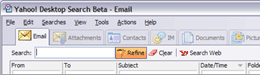
Finding stuff is one of life's great frustration, certainly on computers. Luckily search add-ons abound. here's another free search application that gives a very comprehensive search facility.It's a free download for Windows. It's worth viewing the tutorial here (flash plugin required). You may not be surpised to learn that X1 is also the basis for Yahoo's desktop search program.

WRITE ON!!

Posted by emsquared On 11:53 am 0 comments
Google bought this handy online word processor a short while ago. I have been using Writely since before the google buy up and find it a great application.Collaboration is easy and you can save your documents online or locally onto your own computer. An online application like Writely means that you have access to a word processor wherever you go that has an internet enabled computer and your documents are always available.

HOW TO BE INVISIBLE

Posted by emsquared On 9:25 pm 0 comments


Using the internet can be a risky business. You can leave a trail that identifies where you go, what interests you etc and there can be a legitimate requirement to surf the net annonymously. The quickest way to set this up in a easy "turn it on", "turn it off" type way is to install Tor and also install the related plugin for firefox and mozilla browsers that lets you kick this in when needed. You may find that your surfing takes a small speed hit but if you really need to protect your identity online then I guess this is a small price to pay.

HOW TO SHARE YOUR PICTURES & BACKUP TOO

Posted by emsquared On 9:49 pm 0 comments

A recent report on the BBC news website told us that very few of us are backing up our digital pictures. Backing things up used to be a bit of a pain, one of those things we put off doing & usually regretting it at our leisure when we are unlucky enough to find that our computer hard drive has died or become damaged due to virus or human error.
It's a shame that we don't take care of our precious memories. Now, though we can score a double whammy if we store our photos online, backing them up & making them easy to share with friends. A leading online photo management site is flickr.
It's certainly a very high profile site, recently purchased by Yahoo & is a great place to view other peoples photo work both amateur, talented amateur & professional alike.
All you need to do is go to the site & sign up, it's free.
If you already have a yahoo account you can use that username & password.
Here's a quick video tutorial on how to upload photos using the Flickr upload tool.

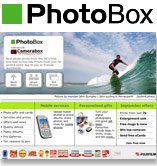
Another online photo service (UK) is photobox who can print your pictures onto photographic paper (at no doubt a cheaper price & better quality than from a standard inkjet printer) as well as enable storage & sharing.
Here's a quick look at photobox.

Yet another option is Yahoo photo(be sure to choose a localised version, in our case Yahoo Photo UK). If you have a yahoo account or have already signed up to Flickr then just use the same username & password. Yahoo photo is probably the simplest to grasp in terms of layout & use. A quick look at Yahoo photo.

The last option I'm going to highlight is Picasa which is now owned by Google. This is a downloadable application for Windows & Linux. Picasa extends the ability to process photos a bit more than many online options & allows you to organise, backup & share. I recommend this picassa tutorial.

LET'S GO RADIO GA GA

Posted by emsquared On 4:18 pm 0 comments
Radio Ga Ga, that's me. Luckily here in the UK we have some reasonable radio stations especially the national ones from the BBC though I'm not greatly drawn to local radio or any kind of top 40 format radio. We all have our personal tastes. The internet helps give me a much broader mix of radio sources. I can listen to:
  • Many UK based radio stations & use my computer to timeshift radio programs to listen back at my leisure
  • Many more internet radio stations from around the world whether talk based, music, comedy, religious, political or just plain weird (I found one radio station that just plays sound effects!!)
Here's some suggestions for free software that enables you to listen to various online radio stations:

The Beeb- For BBC radio fans it's mostly a case of listening through your web browser. The Beeb keeps a healthy stock of older programmes available for you to listen to on line as well as broadcasting live. Just search for BBC listen again or BBC radio player . You will require the real player software in order to listen.

Internet radio: either listen directly from various websites such as shoutcast or live365 .
or download Apple iTunes or VLC which now has shoutcast service built in.Windows users can also use winamp .
| | edit post

WHY ARE THERE SO MANY VIDEO FILE TYPES?

Posted by emsquared On 11:07 pm 1 comments
A quick recap on what you're doing when editing DVD's

When you record DVD's on a DVD recorder, you are recording in the mpeg2 video format.
Your Camcorder records in DV format.
Whaaaaat? More complicated than VHS vs. Betamax???
It's interesting to clarify the background as to why (always the big question).

Background:
Video compression formats-
mpeg1 (.mpeg/ .mpg /.mpe) - an older method of compressing video with image quality akin to VHS (this video method is used in the VCD format of recording video onto standard CD's, now rather outdated though improved quality using Super-VCD (SVCD) is available , giving better picture quality at the expense of shorter recording time on a standard CD. VCD format videos were more popular in China & south east asia than in other parts of the world. Consumes around 650Mb per hour of video.

mpeg2 (.mpv2/ .mp2v) - A high picture quality revison of the mpeg standard currently used to compress & store video recordings on DVD's , Freeview & PVR's. Also used in some hard disc camcorders & DVD camcorders. Consumes around 2Gb per hour of video, much less if higher compression is used but with a tradeoff in picture quality.

mpeg3 (.mp3) - An audio only compression method & the dominant audio format found online. Compresses a 650Mb CD down to approx 40Mb.
Playable on computers, mp3 portable players & nearly all DVD players & some CD Hi-Fi's capable of mp3 playback. dominant download format for audio on the internet.Other audio-only formats are AAC (higher quality audio than mp3 but taking of the same space) & the oddly named ogg which employs psychoacoustics to recreate frequencies lost by the compression method. Purist Audiophiles often forgoe these compressed "lossy" audio formats in favour of uncompressed audio formats which obviously bring track sizes back up to the 20-40Mb range. most people find it hard to hear the difference between a good compressed recording & an uncompressed one. No doubt a high quality Hi-Fi setup might reveal the inadequacies.

mpeg4 (.mp4)- A format for compressing video, achieving almost the same picture quality as mpeg2 but with a greater level of compression, enabling much samller video files. Originally used to rip DVD's & burn the entire contents to a standard CD with the result looking indistingushable to the original DVD. The dominant format of downloadable video on the internet is mpeg4 format which can only be played on a computer & some DVD players.Used also in some of the newer hard disc camcorders & used on mobile phones & still cameras on the video recording side.Consumes 650Mb an hour, often much less but gives almost the same quality as DVD. Capable of High definition recordings, which mpeg2 is not capable of. (The audio-only equivalent is AAC, as used in i-tunes & the ipod giving better quality audio than mp3).

DV (.dv)- A method of compressing high quality video. Used by all Mini DV & DV format camcorders.Digital8 uses exactly the same format but recorded onto Hi8 tapes instead of MiniDV tapes.iMovie uses this format as it is the most edit-friendly format. Professional variations are used in broadcast television (typically DVCAM & DVCpro) with High Definition(HD) variants now available. Standard DV consumes approx 18Gb per hour of video.

WMV (.avi) - Windows media video. A proprietory Microsoft method of compressing video for playback on the internet.Windows media player required for playback.Can only be played on computers.
WMA (.wma)- Windows media audio. Audio only equivalent of above.Windows media player required to playback. Some portable players & some DVD players can also play this back.

RMV (.rmv)- Real media video. A proprietory format for delivery video over the internet only.Real video player required to playback.RMA (Real Media audio) is the audio-only equivalent.

Quicktime (.mov)- proprietory video format for delivery of video over the internet. Quicktime player required. Also found on some mobile phones & video ipods.

A VOB file (.vob) -DVD-Video Object- is a file type contained in DVD-Video media. It contains the actual Video, Audio, Subtitle and Menu contents in stream form.
---------------------------------
Ok- back to your recorded DVD.
Recorded video is stored on the disc in the mpeg2 format but packaged into a series of .vob files. Recordings can span across one or a number of .vob files. These files are not designed for other than basic editing but can be converted to other video formats quite easily.

Mpeg streamclip can open most video format files & convert them into almost anything else along with the ability to choose the start & end part of the video you are going to convert.

Ulead DVD Moviefactory makes video DVD's & requires video files in mpeg2, quicktime(.mov), WMV(.avi) or DV formats-.vob files can also be opened directly but detailed editing is not possible hence the need to use mpeg streamclip to extract & convert specific sections of the recorded DVD for use here.

HOW TO EDIT FROM YOUR DVD RECORDER

Posted by emsquared On 4:27 pm 0 comments
Video recorders have changed over the past year or so. VHS has been with us for a quarter of a century or more and finally some replacements have come along. There are 2 replacemnents on offer:

* DVD Recorders - recording TV (or home movies) onto a DVD disc
* PVR (Personal Video Recorder) - A video recorder without tape, usually with a hard drive inside, allowing easy recording & playback.

Computers can be useful for editing things stored onto DVD or PVR's.
Let's deal with the DVD recorder first. We have a programme that we want to keeep, maybe edit out the adverts & then burn or re-author onto a seperate DVD disc. I use a program called MPEG Streamclip which is available for Mac & Windows (& is free).
It lets you quickly re-encode sections of the disc, ready to burn back to a DVD using a DVD creation prog. it also lets you convert the size & type of video file, either for internet use or to different online video formats.
Please take the time to read the instructions for installing, especially in regard to windows. A tutorial link is listed under tutorials on the left hand side of this page.

HOW TO PLAY OUR VIDEO TUTORIALS

Posted by emsquared On 11:58 am 0 comments
By that, I don't mean something that moves you to tears, though maybe just using a computer does that to you. I mean animated tutorials. I'm slowly putting together some tutorials that cover the basics & to view these you will need an internet browser & the flash plugin. If you find that you can't view these you'll need to install the flash plugin from here.